Swift Student Challenge 2026

Learn to fly.
No drone required.

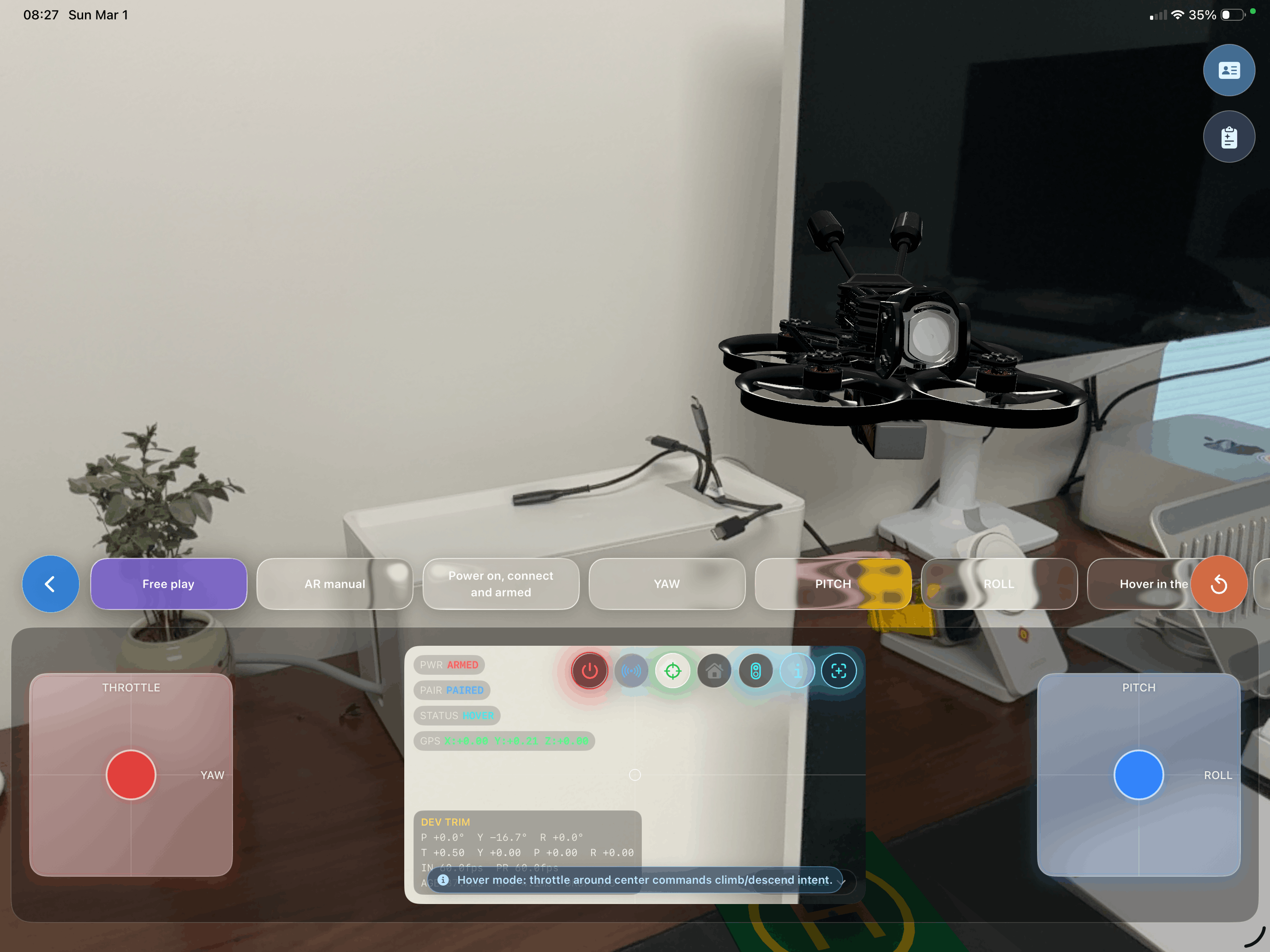
DroneGo puts a photorealistic FPV drone in your room using AR. Build it, learn the controls, and master flight — all from your iPad.
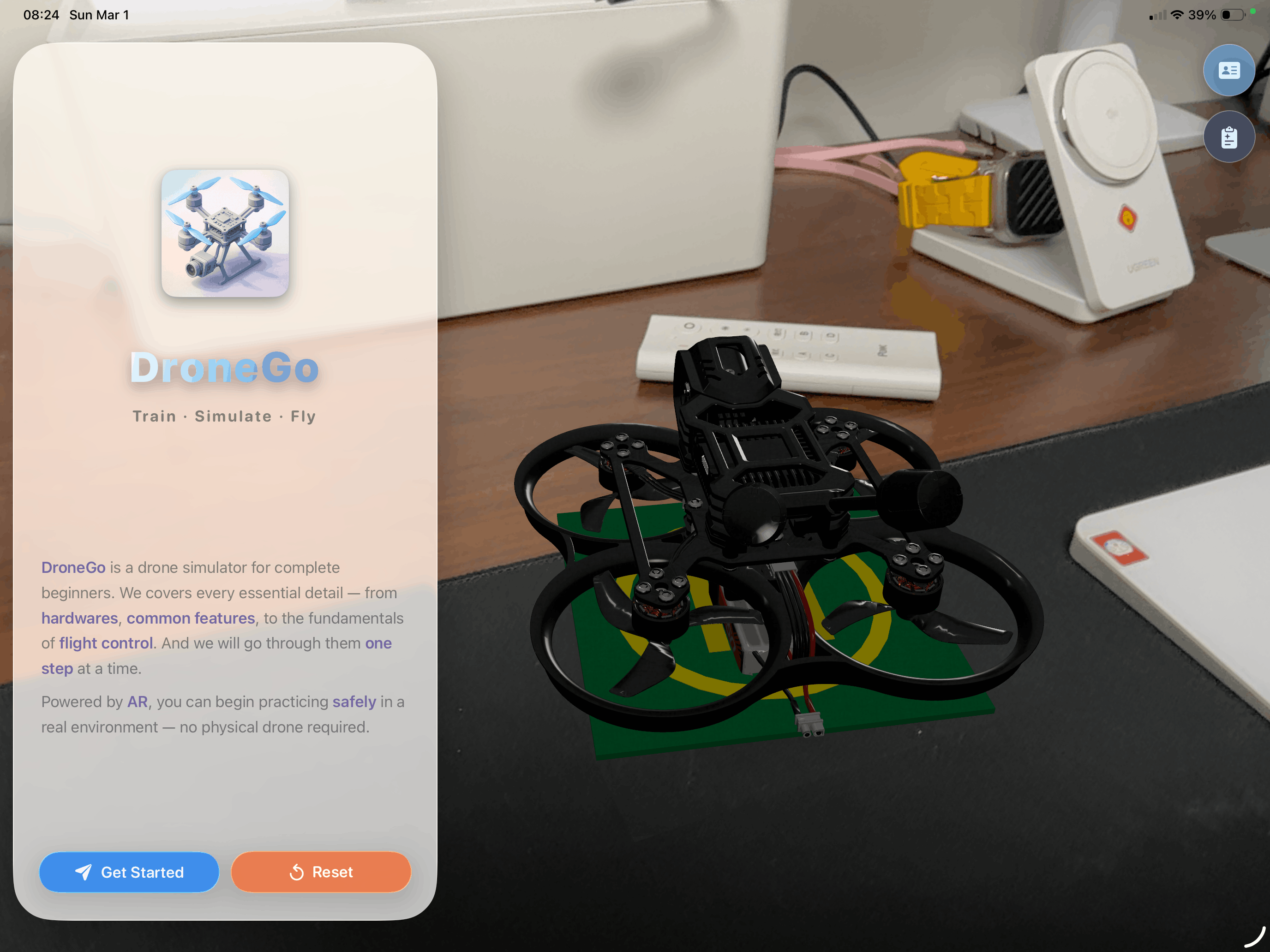
DroneGo on iPad — AR drone placed on desk with welcome screen
ARKit Tracking Active
60Hz Physics Engine
AI Coach Enabled
8
Guided Lessons
7
Drone Components
60Hz
Physics Simulation
100%
Risk-Free Flying

Everything you need to
start your FPV journey

From understanding every screw on your drone to pulling off your first acro flip — DroneGo walks you through it all in augmented reality.

Flight Simulator

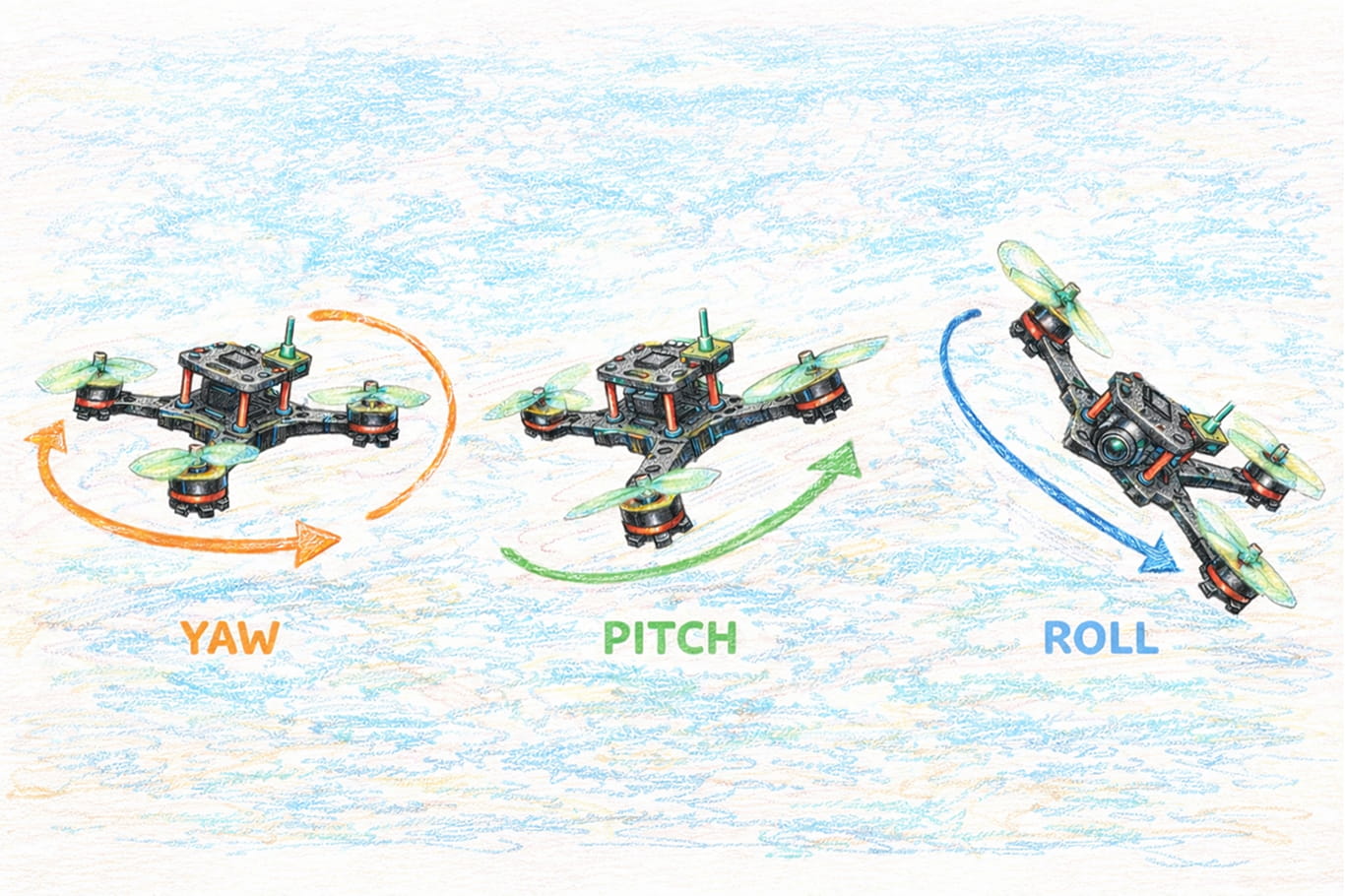
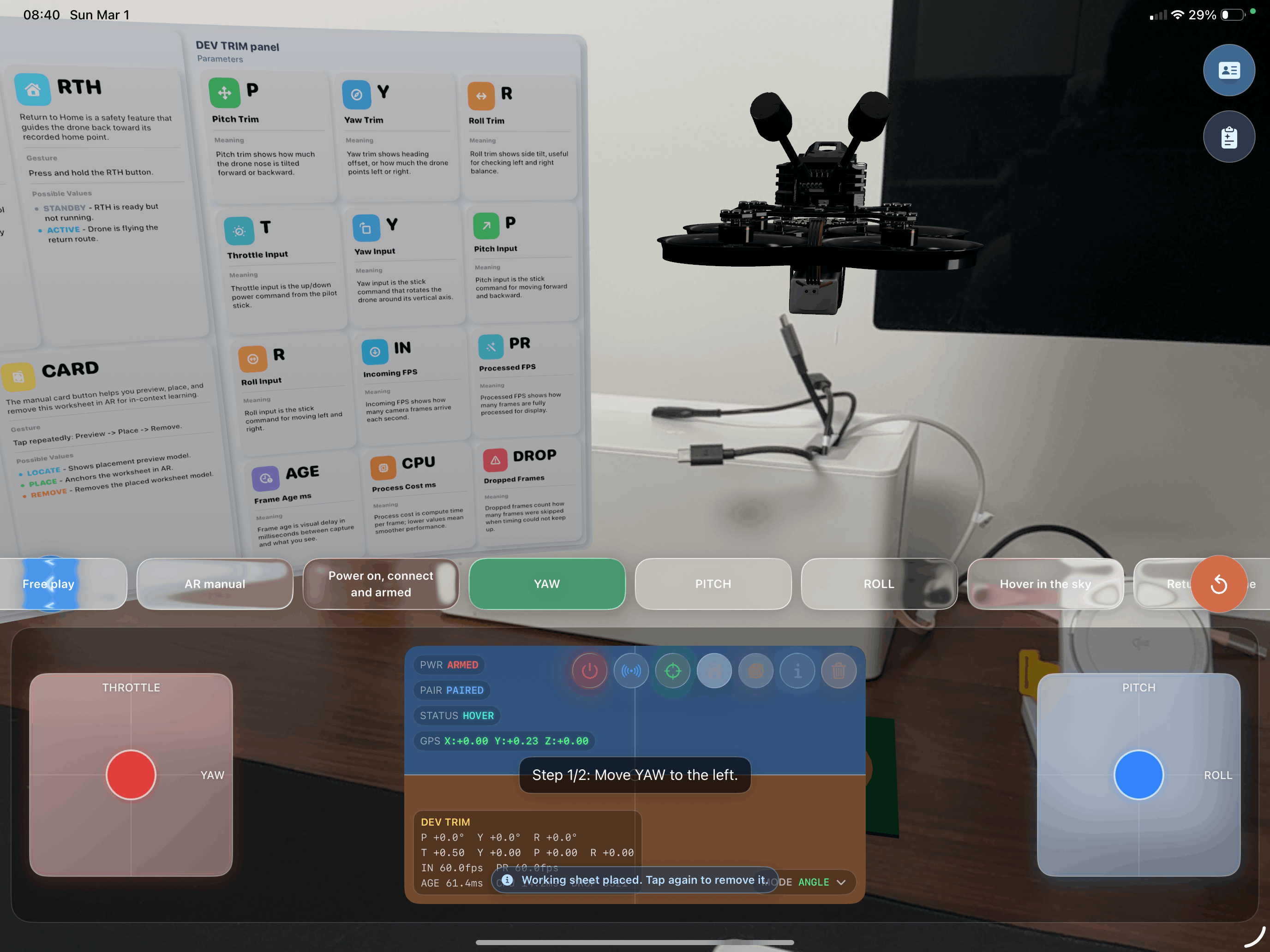
Dual virtual joysticks with Mode 2 layout. Three sensitivity profiles — Beginner, Intermediate, and Acro — with realistic physics running at 60 frames per second. Master yaw, pitch, and roll on your iPad's big screen.

Yaw, Pitch, and Roll — drone flight attitudes

AR Drone Placement

Point your iPad camera at any flat surface. Tap to place a photorealistic 3D drone complete with spinning propellers and flight sounds.

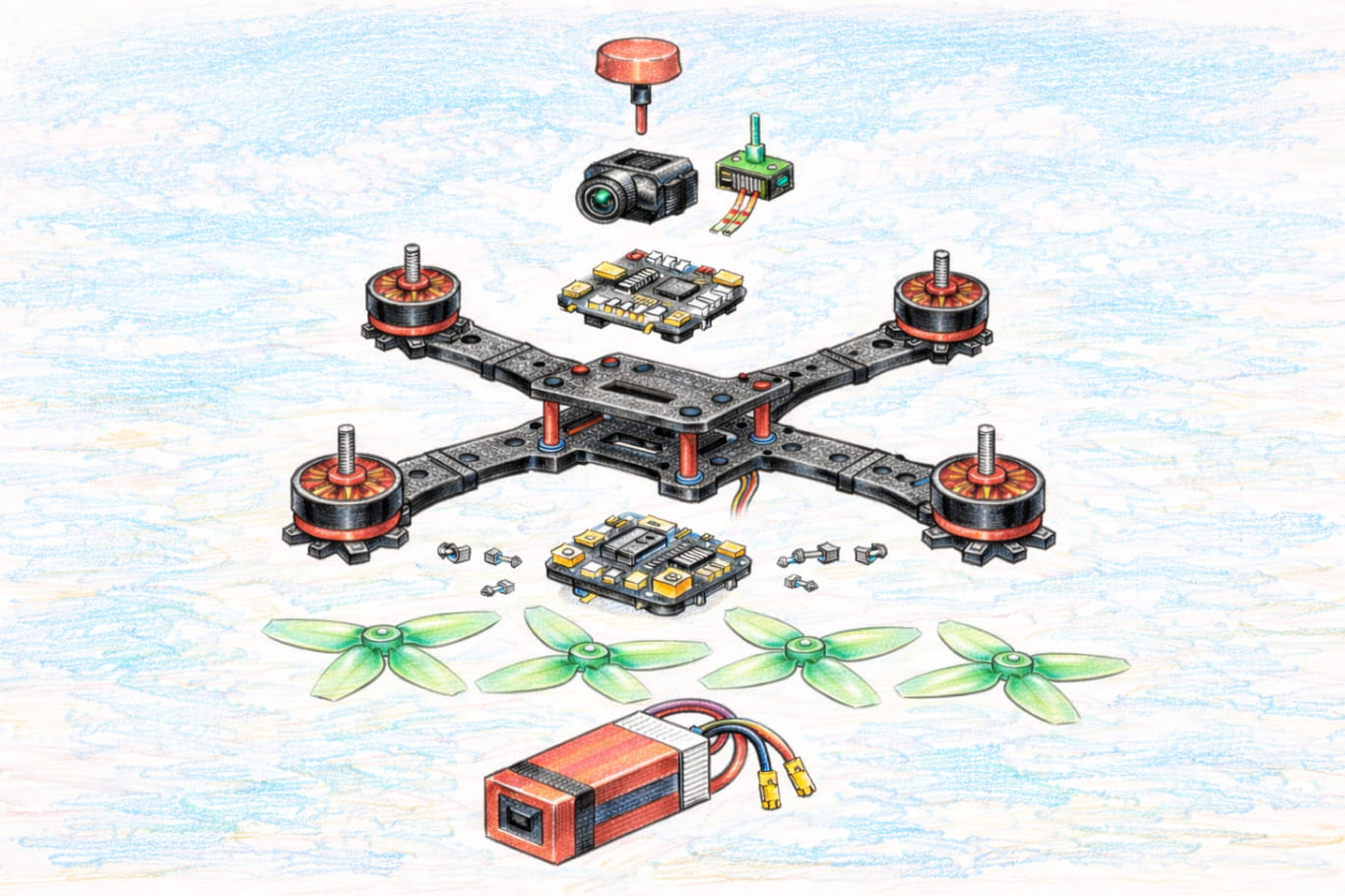
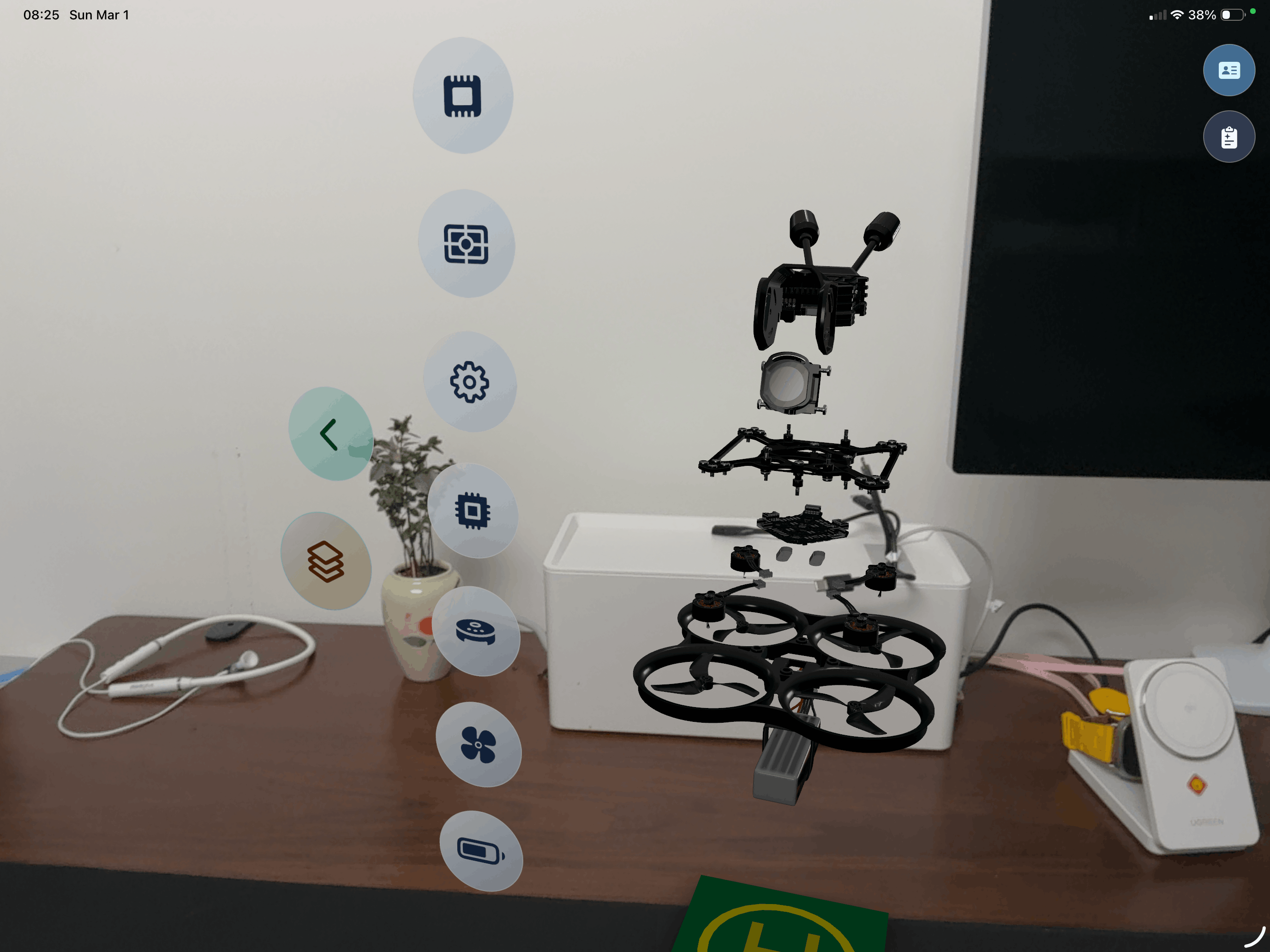
Exploded View

Tap any component to explode it apart in AR. Explore battery, motors, ESC, frame, camera, and VTX with detailed specs and 3D callouts.

Apple Intelligence

On-device Foundation Models translate technical jargon into plain language. Every component spec gets an AI-powered beginner-friendly explanation.

Hover Assist

One-tap auto-hover locks your altitude with a PD controller. Sticks become gentle nudge controls — perfect for absolute beginners.

Return to Home

Long-press RTH for autonomous navigation back to the helipad. Multi-phase pipeline with obstacle avoidance and auto-landing.

FPV Camera Feed

Toggle a live first-person view from the drone's camera. See exactly what your quad sees as you fly through your space.

8 Guided Lessons

Step-by-step interactive lessons teach yaw, pitch, roll, hover, and RTH. Each lesson locks irrelevant controls so you focus on one skill at a time.

Achievements

Unlock 8 persistent achievements as you progress. From "Spin Under Control" to "Return to Home — Verified", track your journey from zero to pilot.

See it in action
on iPad

DroneGo is designed for iPad's immersive display — giving you the space to explore, learn, and fly.

Three steps to
becoming a pilot

No expensive gear, no crashes, no repairs. Just pick up your iPad and start learning.

1
Build

Build

Place a drone in your room with AR. Tap to explode it apart and explore every component — battery, motors, ESC, frame, camera, and VTX — with AI-powered explanations.

2
Learn

Learn

Follow 8 guided lessons that teach you one control at a time. Yaw left, pitch forward, roll right — each move builds on the last with real-time feedback.

3
Fly

Fly

Take the sticks in Free Play. Graduate from Beginner to Acro mode. Pull off flips, nail hovering, and master Return to Home — all risk-free.

Powered by Apple's
latest frameworks

DroneGo harnesses the full depth of the Apple platform — from on-device AI to real-time 3D rendering.

SwiftUI
SwiftUI
Interface
Swift
Swift
Language
ARKit
ARKit
AR Tracking
RealityKit
RealityKit
3D Rendering
SwiftData
SwiftData
Persistence
Foundation Models
Foundation Models
On-Device AI

Loved by beginners
and enthusiasts alike

"I was terrified of crashing a real drone. DroneGo let me practice on my iPad until the controls felt second nature. Now I fly my Cinewhoop with total confidence."

J
Jake M.
First-time FPV pilot

"The exploded view is genius. My 12-year-old now knows what an ESC does and why propellers counter-rotate. This is the STEM app I've been waiting for."

S
Chengwei Sun
Educator

"The physics feel legit — throttle curves, expo, acro mode — it's all here. The iPad's big screen makes flying so immersive. Surprisingly accurate simulator."

R
Alex R.
Experienced FPV racer
DroneGo Pilot Badge

Ready to take off?

DroneGo will open source soon. No drone, no risk, no cost — just pure flight on your iPad.